Posts

Showing posts with the label Jquery

How to get jQuery version

use Console or write a jquery to get version: 1- jQuery.fn.jquery 2- $.fn.jquery; 3- jQuery().jquery; 4- $().jquery

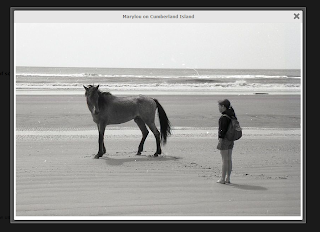
colorbox lightbox style with Close and title in top.

Image
To change style to bellow style: download code from here :            https://github.com/msm2020/colorbox/tree/master/example5

string contains in Jquery

Like this: if (str.indexOf("Yes") >= 0) Note that this is case-sensitive. If you want a case-insensitive search, you can write if (str.toLowerCase().indexOf("yes") >= 0) Or, if (/yes/i.test(str))

check radio button is checked using JQuery

Given a group of radio buttons: <input type="radio" id="radio1" name="radioGroup" value="1"> <input type="radio" id="radio2" name="radioGroup" value="2"> You can test whether a specific one is checked using jQuery as follows: if ($("#radio1").prop("checked")) { // do something } // OR if ($("#radio1").is(":checked")) { // do something } // OR if you don't have ids set you can go by group name and value // (basically you need a selector that lets you specify the particular input) if ($("input[name='radioGroup'][value='1']").prop("checked"))

jQuery lightbox

prettyPhoto is a jQuery lightbox clone. Not only does it support images, it also support for videos, flash, YouTube, iframes and ajax. It’s a full blown media lightbox. http://www.no-margin-for-errors.com/projects/prettyphoto-jquery-lightbox-clone/#prettyPhoto

How to call object in Parent Iframe by jQuery

To find in the parent of the iFrame use: $('#parentPrice', window.parent.document).html(); The second parameter for the $() wrapper is the context in which to search. This defaults to document.

add option to select combobox

To add option to select you can use : $('#selectname').append($(" ").attr("value", value).text(text)); If you need to append multi value you can user: $.each(data, function(i, option) { $('#selectname').append($(' ').attr("value", option.id).text(option.name)); }); If you need to add option to first "top" of list use $('#sel_bat1').children(":first").before($(" ").attr("value", value).text(text));

How to use Resource files in javascript

to access the Global Resources var globalResource = ' '; to access the Local resources var localResource = ' ';

get mouse click if inside a div or not

Use this Code : $("body > div").click(function() { if ($(this).attr("id") == "in_or_out") { // inside } else { // not inside } }); OR $(document).mouseup(function (e) { var container = $("YOUR CONTAINER SELECTOR"); if (container.has(e.target).length === 0) { container.hide(); } });

Unsafe JavaScript attempt to access frame with URL from frame with URL youtube

best solution to use youtube API : jQuery(document).ready(function() { var Vid = 'youtubeId'; var params = { allowScriptAccess: "always" }; var atts = { id: "myytplayer" }; swfobject.embedSWF("http://www.youtube.com/v/" + Vid + "?enablejsapi=1&playerapiid=ytplayer&version=3", "ytapiplayer", "320", "315", "8", null, null, params, atts); }); and add Div with ID "ytapiplayer"
numeric up down "spinner"

use Jquery UI $( "#spinner" ).spinner();

sum int array values

we will loop to sum all values : if we have an array like <ul> <li class='price'>10</li> <li class='price'>5</li> <li class='price'>3</li> <li class='price'>11</li> </ul> summ will get by : $('.price').blur(function () { var sum = 0; $('.price').each(function() { sum += Number($(this).html()); }); });​​​​​​​​​

Parse to Int - Float Javascript

convert to Int var intvar = parseInt('1'); var Floatvar = parseFloat('10.52');

Event for user pressing enter in a textbox

to make event when click to any input you can use : $('textarea').keyup(function(e){ if(e.keyCode == 13) { // code here } });

add days to date Javascript

To add days to javascript use : // days added var days=5; var ms = new Date().getTime() + (86400000 * days); var added = new Date(ms);

Check if variable is 'undefined' or 'null'

to check if javascript variable is undefined or nul use : if(typeof variable_here === 'undefined'){ // your code here. }; OR : if(! variable_here){ // your code here. };

Array contains() or IndexOf in Jquery

To get index of or check if object on array Jquery use : $.inArray(value, array) It returns the index of a value in an array. It returns -1 if the array does not contain the value.

Jquery UI Multiselect bind items from codebehind

you can use : $ ( "#<%=ddlTeste.ClientID%>" ). multiselect ({         checkAllText : "All" ,         uncheckAllText : "Clear" ,     noneSelectedText : "Select a country" ,     selectedText : "# item(s) selected" ,     close : function ( event , ui ) {         var values = $ ( "#<%=ddlTeste.ClientID%>" ). val ();         var array_of_checked_values = $ ( "#<%=ddlTeste.ClientID%>" ). multiselect ( "getChecked" ). map ( function () {             return this . value ;         }). get ();         document . getElementById ( "<%=txtHidDataTeste.ClientID%>" ). value = array_of_checked_values ;     } }); var s = $ ( "#<%=ddlTeste.ClientID%>" ). multiselect (); s . val ([ '1' , '2' , '5' ]); $ ( "#<%=ddlTeste.ClientID%>" ). multiselect ( ...

jQuery UI Multiselect widget clear all check boxes

you can use methiods like Methods After an instance has been initialized, interact with it by calling any of these methods: // example: $("#multiselect").multiselect("method_name"); ...which can be found in the widgets  documentation  under  Methods $ ( "#multiselect" ). multiselect ( "uncheckAll" );

redirect - go to with javascript

you can use  window . location = url ;